Freshly Picked Procreate Color Palette: A Practical Review for Digital Artists
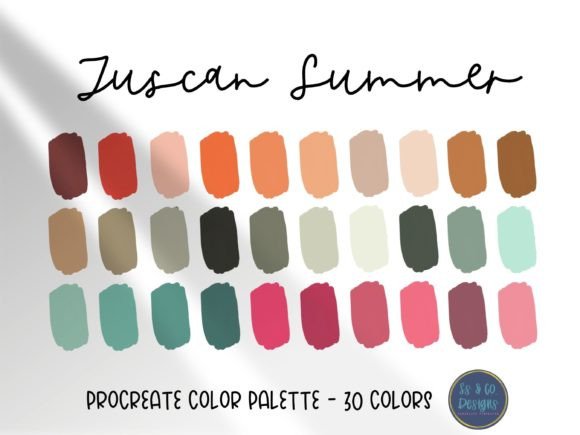
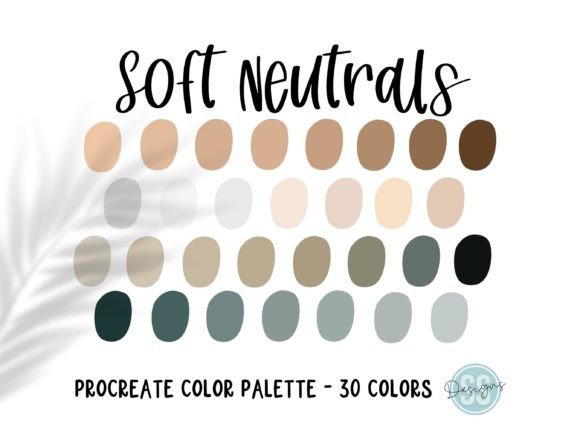
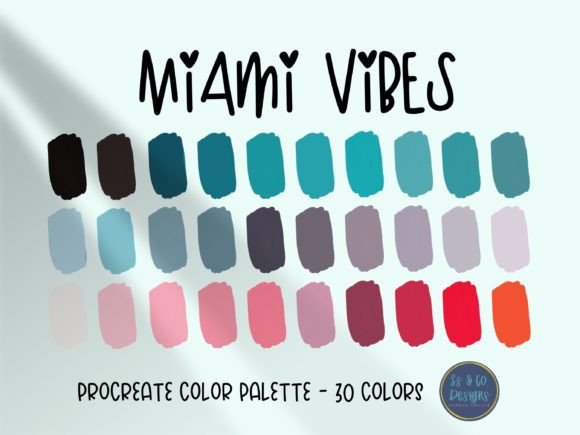
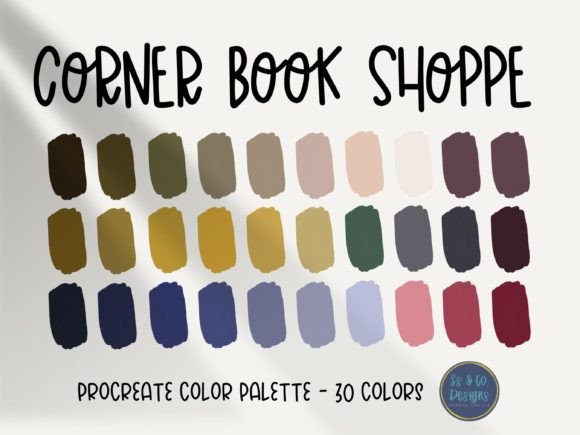
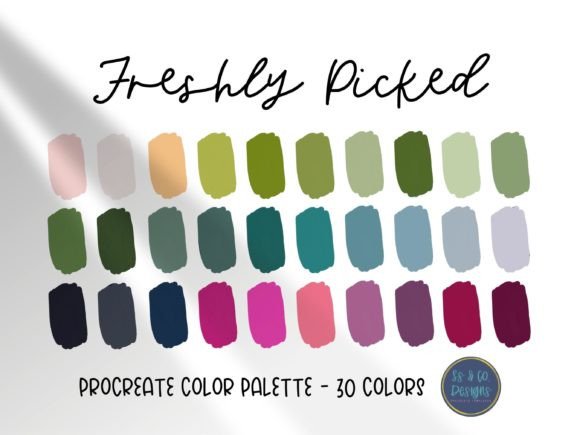
Choosing the right color palette is often the most time-consuming yet critical step in digital illustration. For artists working within the iPad ecosystem, the Freshly Picked Procreate Color Palette offers a curated solution designed to streamline this process. This resource provides thirty beautiful, hand-selected colors intended to save creators time on their next project while offering immediate visual inspiration. However, before integrating any pre-made asset into your workflow, it is essential to understand its specific characteristics, how it compares to building custom palettes, and whether it aligns with your artistic goals.
Understanding the Freshly Picked Collection
The core value proposition of the Freshly Picked Procreate Color Palette lies in its curation. Rather than presenting an overwhelming spectrum of options, this collection distills color theory into thirty distinct hues. These colors are not randomly generated; they are selected to harmonize with one another, ensuring that any combination drawn from the set maintains visual coherence. This approach addresses a common pain point for digital artists: "palette paralysis," where the sheer number of available colors leads to decision fatigue rather than creative flow.
By limiting the selection to thirty shades, the palette encourages experimentation within constraints. This constraint-based creativity can be particularly beneficial for artists who struggle with color consistency across a series of illustrations. The colors are pre-selected to work together, meaning that shadows, mid-tones, and highlights are already balanced relative to one another. This reduces the technical burden on the artist, allowing them to focus more on composition, lighting, and narrative.
Comparing Pre-Made Palettes to Custom Creation
When evaluating the Freshly Picked Procreate Color Palette, it is helpful to compare it against the alternative: creating your own palettes from scratch. Both approaches have distinct advantages and tradeoffs depending on the project scope and the artist’s experience level.
- Time Efficiency: Pre-made palettes like Freshly Picked offer immediate usability. There is no need to spend hours adjusting hue, saturation, and brightness sliders to find a cohesive look. In contrast, custom palettes require significant upfront investment but offer total control.
- Consistency vs. Uniqueness: Curated palettes ensure a consistent aesthetic, which is ideal for branding projects or serialized content. However, because these colors are available to anyone who purchases or downloads the file, there is a risk of your work resembling others who use the same resource. Custom palettes guarantee uniqueness but require a keen eye for color theory.
- Learning Curve: For beginners, using a hand-selected palette serves as an educational tool. By observing which colors the curator paired together, novices can learn practical applications of complementary and analogous color schemes. Experienced artists may find pre-made sets limiting if they have a highly specific vision that deviates from standard harmonies.
The Freshly Picked option sits comfortably in the middle ground. It is not so generic that it lacks character, yet it is versatile enough to be adapted for various styles, from flat vector art to textured painterly pieces.
Ideal Use Cases and Limitations
Understanding when to utilize this specific palette is key to maximizing its value. The Freshly Picked Procreate Color Palette is particularly well-suited for several scenarios:
- Rapid Prototyping: When sketching out concepts for clients, speed is essential. Having a reliable set of colors allows you to communicate mood and lighting quickly without getting bogged down in technical details.
- Social Media Content: Influencers and content creators often need to maintain a cohesive feed aesthetic. Using a consistent palette across multiple posts helps establish a recognizable brand identity.
- Beginner Practice: New users of Procreate can benefit from removing the variable of color choice. This allows them to focus on mastering brush dynamics, layer modes, and blending techniques without worrying about clashing hues.
However, there are limitations to consider. If you are working on a hyper-realistic portrait or a complex environmental piece that requires subtle shifts in atmospheric perspective, a thirty-color palette may feel restrictive. In such cases, artists might need to expand the palette by adding custom tints and shades or switching to a broader color library. Additionally, if your project requires strict adherence to specific brand guidelines with exact HEX codes, a pre-selected artistic palette may need significant modification to meet those requirements.
Technical Requirements and Integration
Before acquiring the Freshly Picked Procreate Color Palette, it is crucial to verify your technical setup. Please note that you must have the Procreate app installed on your iPad to be able to download and utilize this file. The palette is formatted specifically for Procreate’s native color system, meaning it will not directly import into other software like Photoshop, Clip Studio Paint, or Affinity Designer without conversion tools.
For those unfamiliar with the process, importing palettes into Procreate is straightforward but requires following specific steps. Users should refer to the official Procreate handbook section on colors and palettes for detailed instructions. Generally, this involves tapping the color circle, selecting the Palettes tab, and importing the file from your files app. Ensuring you are comfortable with this workflow will prevent frustration after purchase.
Making an Informed Decision
Ultimately, the decision to use the Freshly Picked Procreate Color Palette depends on your current workflow needs. If you find yourself spending disproportionate amounts of time selecting colors, or if you struggle to achieve harmony in your illustrations, this resource offers a practical shortcut. It acts as a safety net, ensuring that your base colors are aesthetically pleasing regardless of your drawing skill level.
Conversely, if you pride yourself on unique color grading or have developed a personal signature style that relies on unconventional color combinations, you may find pre-made palettes restrictive. In such instances, you might prefer to use the Freshly Picked set as a starting point, modifying individual colors to better suit your specific vision rather than using it exclusively.
It is also worth considering the cost-benefit analysis. While many free palettes exist online, curated sets like Freshly Picked often undergo rigorous testing to ensure versatility across different lighting conditions and subject matters. This quality assurance can save hours of trial and error, making the investment worthwhile for professional freelancers who bill by the hour.
Final Thoughts on Color Resources
Digital art tools are constantly evolving, and resources like the Freshly Picked Procreate Color Palette represent a shift towards efficiency in creative workflows. They do not replace the need for understanding color theory, but they do provide a solid foundation upon which to build. By offering thirty beautiful, hand-selected colors, this palette removes the initial barrier of entry for color selection, allowing artists to dive straight into creation.
Whether you are a seasoned illustrator looking to speed up your process or a beginner seeking guidance, evaluating this palette against your specific project requirements is the best approach. Consider the nature of your work, your comfort level with color adjustment, and your desire for uniqueness versus convenience. With the right expectations, the Freshly Picked palette can become a valuable component of your digital toolkit, inspiring your next creation while saving you precious time.